


Sudoku Master - Classic Number Puzzle
The ultimate Sudoku puzzle game — now with 3 grid sizes and 6 difficulty levels!
Whether you're a beginner solving your first number puzzle or an expert tackling extreme challenges, Sudoku Master has the perfect puzzle for you. Sharpen your mind, improve your logic skills, and enjoy hours of classic Sudoku gameplay.
✨ Why Players Love Sudoku Master
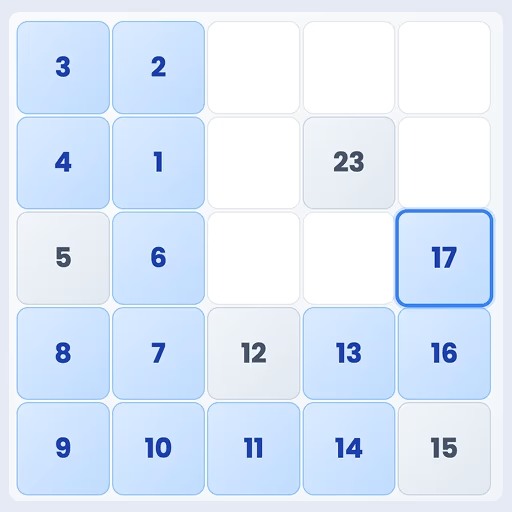
✔ 3 Grid Sizes — 6x6, 9x9 and 16x16 Sudoku puzzles
✔ 6 Difficulty Levels — Beginner to Extreme 🔥
✔ Classic Sudoku Rules — fill every row, column and box correctly
✔ Smart Hint System — get help when you're stuck 💡
✔ Undo & Erase — fix mistakes instantly
✔ Built-in Timer — track your speed ⏱️
✔ Mistake Tracker — stay focused, every move counts
✔ Clean, distraction-free number grid layout
🎯 How to Play
- Tap any empty cell on the Sudoku grid
- Choose the correct number from the palette
- Fill every row, column and box — each number appears exactly once
- Complete the puzzle without exceeding mistakes to win 🏆
🌍 Perfect For All Sudoku Players
- New to Sudoku? Start with 6x6 beginner puzzles
- Classic player? Master the standard 9x9 grid
- Want a real challenge? Take on 16x16 extreme puzzles 💪
🧩 The Brain Game That Keeps You Sharp
Sudoku Master is the perfect mix of relaxation and challenge. Whether you have 5 minutes or 5 hours, this classic number puzzle adapts to your pace.
Train your brain, boost your focus, and enjoy the satisfying feeling of solving every grid.
Download Sudoku Master now and start your number puzzle journey today! 🚀
Controls
Desktop Controls
Mouse: Click a cell to select it, then click a digit from the palette. Use Hint/Undo/Erase/Reset buttons as needed.
Mobile Controls
Touch: Tap a cell to select it, then tap a digit from the palette. Use Hint/Undo/Erase/Reset buttons as needed.
Pro Tips
Start with areas that are nearly complete. If you mis-tap, use Undo or Erase. Save hints for moments where you’re truly stuck since they’re limited.
Frequently Asked Questions
How do I play Sudoku Master?
Tap or click any empty cell on the grid, then select the correct number from the number palette at the bottom. Fill every row, column and box so each number appears exactly once. Complete the puzzle without exceeding your mistake limit to win.
Is Sudoku Master free to play?
Yes. Sudoku Master is completely free to play online at freegametoplay.com. No download or registration required.
What grid sizes does Sudoku Master support?
Sudoku Master supports three grid sizes: 6x6 for beginners, the classic 9x9 grid, and the advanced 16x16 grid for expert players.
What difficulty levels are available?
Sudoku Master offers six difficulty levels: Beginner, Easy, Medium, Hard, Expert and Extreme — suitable for all skill levels.
Can I play Sudoku Master on mobile?
Yes. Sudoku Master is fully mobile-friendly and works on all smartphones and tablets directly in your browser — no app download required.
What is the difference between easy and expert Sudoku?
Easy Sudoku puzzles have more pre-filled cells and allow more mistakes before the game ends. Expert and Extreme levels have fewer given numbers and a tighter mistake limit, requiring deeper logical reasoning to solve.